Broadbent Cloud
Desktopfeatures
Back up the folders you choose, see the quota, and open the same drive in the browser when you want to browse or share.
Features
What the desktop app does
01
Back up a folder
Point a local folder at a folder on one of your drives. Add more than one folder, and run them together.02
Back up now
Start every configured backup from the window, or let a schedule keep the folders up to date.03
Skip unchanged files
Uploads go in parts. A file that still has the same size and modified time is left where it is.04
S3 for drive owners
Owners, including the free 1 GB plan, back up through the S3 gateway. The access key and bucket come from the account after sign-in.05
WebDAV for team members
A teammate with write access backs up over WebDAV into the folder they were granted. Read-only access can see the drive, but cannot start a backup.06
Adjust the plan
Change capacity from the drive card when a backup needs more than the current quota.07
Open the drive
Jump from the desktop app into Broadbent Drive in the browser to browse, upload and share the same files.
Backup
Choose the drive, the folder, then start
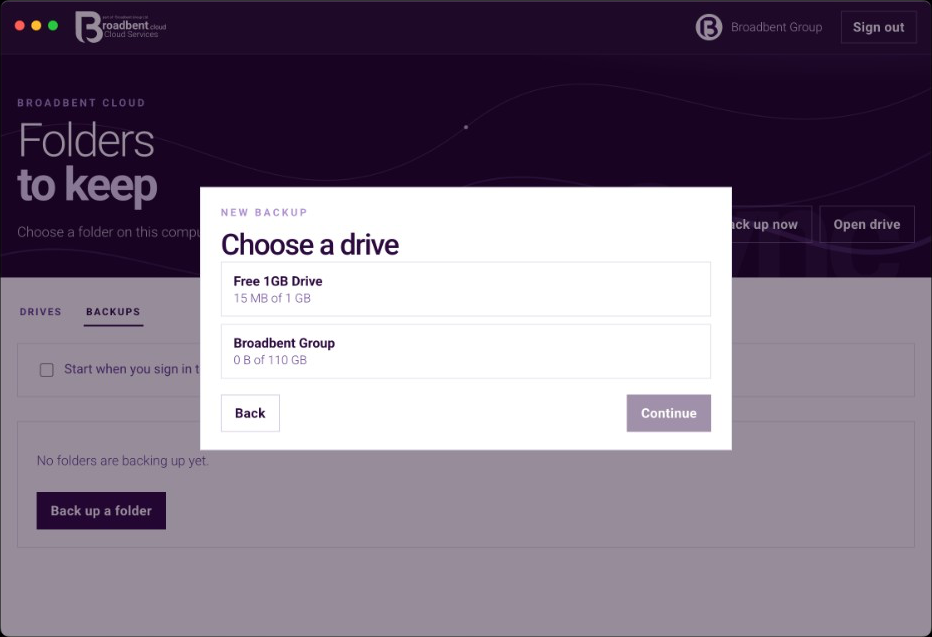
Choose a driveThe folder on this computer is already chosen. Next, pick which drive it should keep. 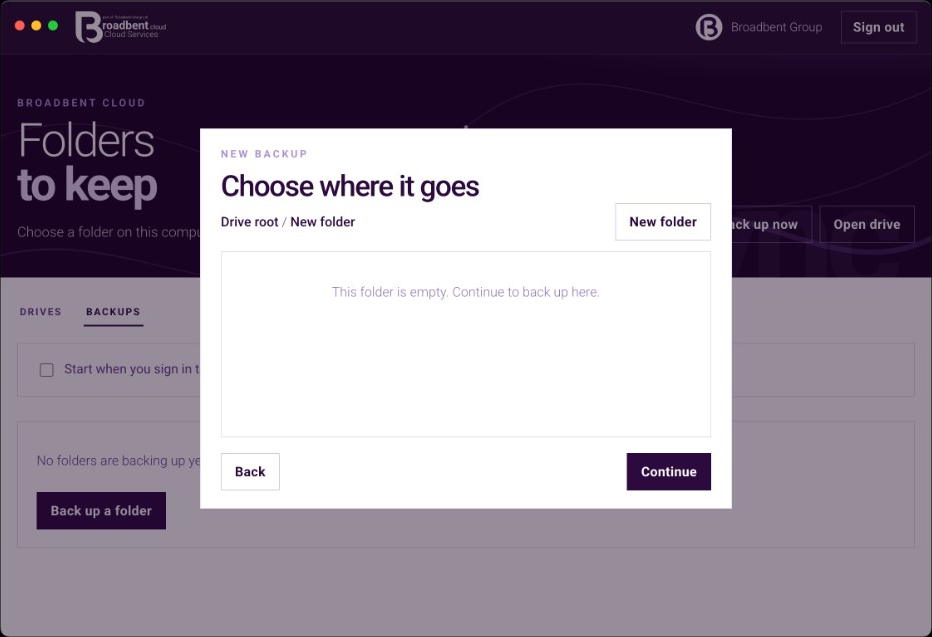
Choose where it goesBack up into a folder already on the drive, or create one and continue. 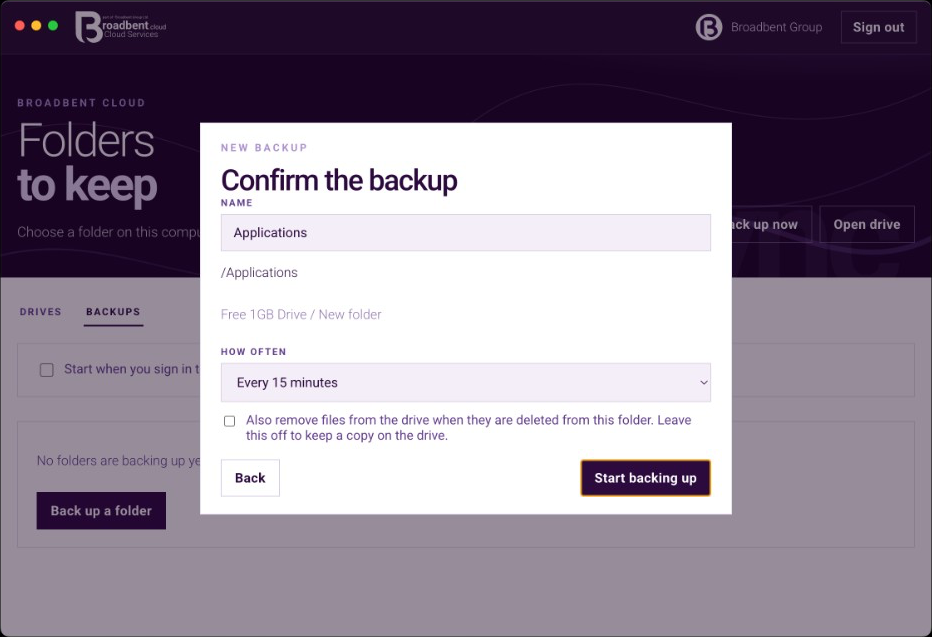
Confirm and startName it, choose how often it runs, and leave deleted files on the drive unless you opt in.
Plans
Change capacity, or move off the free plan
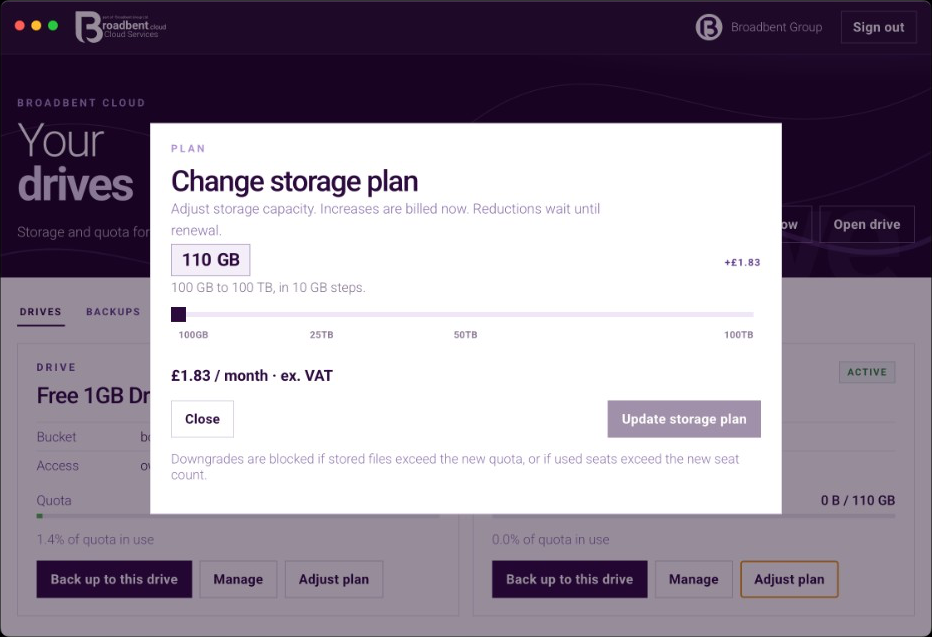
Paid driveMove capacity in 10 GB steps. An increase is billed now. A reduction waits until renewal. 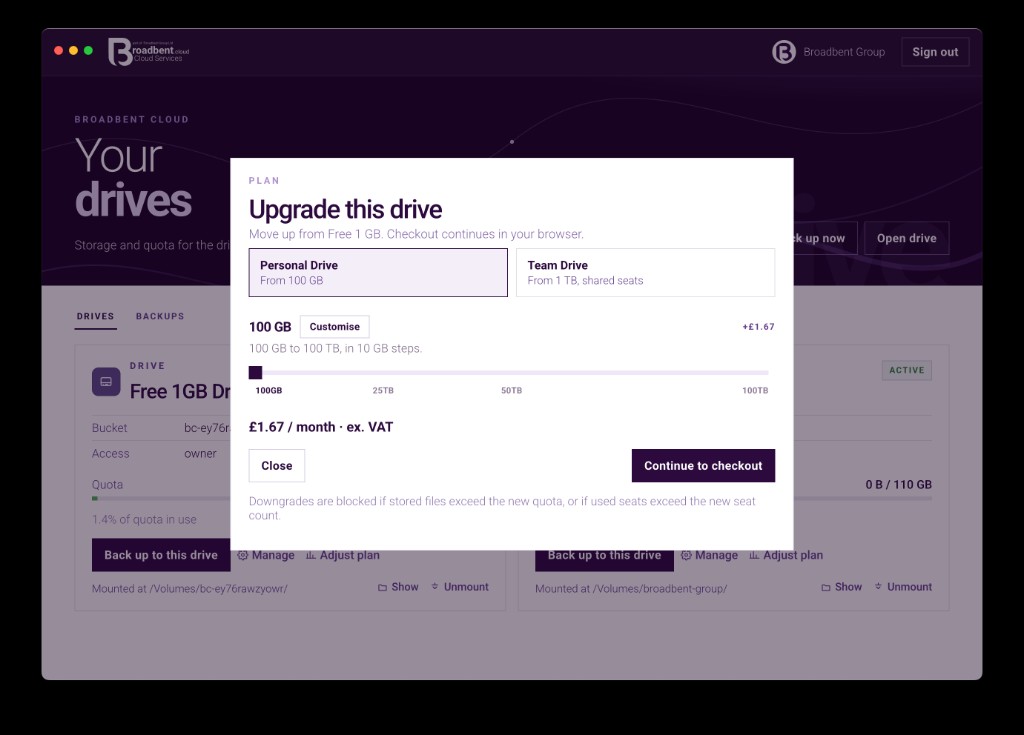
Free drivePersonal or Team, with seats up to 50 or unlimited. Checkout continues in the browser.
Contact
Speak to the team
Call our Colchester sales team, or send a message anytime.
UK sales team · 8:00am–8:00pm